
Modify Report Type
Report types affect the placement of information in reports generated by tools designed to summarize other reports. For information about the effect of report type on summary report content see:
- Combine Reports: Report types and combined report content.
- Create Sample Report: Report types and sample report content.
A report's type can be edited directly in the Element Info ( ) tab or the Modify Report Type tool can be used. Both options are described in this section. Note that report types are case sensitive. E.g. 'Trim by Quality' and 'Trim by quality' are interpreted as different types.
The report type assigned by a particular tool is unique, so reports generated by different tools have different types. The term "(default)" at the end of a report type suggests the type has not been modified since the report was created.
Directly updating a report type
The report type is shown in the Element Info () view of that report
(figure 37.25). It can be edited in this view by clicking on "Edit".
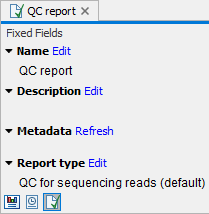
Figure 37.25: Reports types can be seen in the Element Info view of a report.
Running the Modify Report Type tool
To run Modify Report Type, go to:
Tools | Utility Tools ( ) | Reports (
 ) | Modify Report Type (
 )
)
To see a list of tools that produce supported report types, click on the ( ) icon in the top right corner of the input selection wizard (figure 37.26).
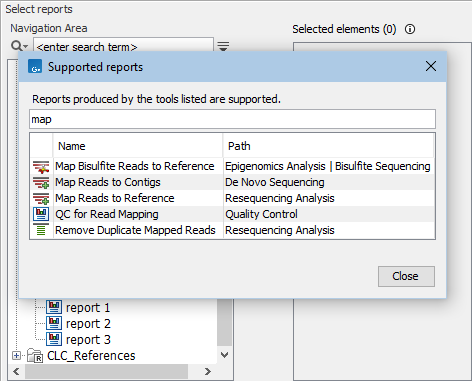
Figure 37.26: Clicking on the info icon at the top right corner of the input selection wizard opens a window showing a list of tools that produce supported report types. Text entered in the field at the top limits the list to just tools with names containing the search term.
The type of the report is set in the Report type text field in the "Parameters" wizard step. The type specified here is used for the title of the corresponding section of summary reports generated using this report as input. If left blank, the report type reverts back to the original "(default)" report type.
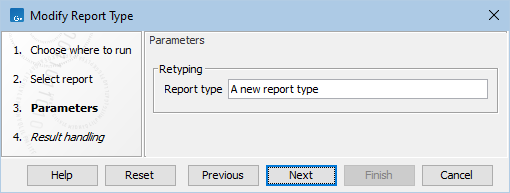
Figure 37.27: Enter the report type to assign in the "Report type" field.
Modify Report Type outputs a report with the updated report type, but that is otherwise identical to the original report.
Subsections