
Branch layout
The branch layout settings in the Side Panel are shown in figure 26.11.
- Branch length font settings. Adjusts the font type, size, typography (Bold, Italic or normal), and color.
- Line color. Changes the color of lines in the tree.
- Line width. Changes the width of lines in the tree. (1.0-3.0 pixels).
- Curvature. Adjusts the degree of branch curvature to get branches with rounded corners. When the slider is moved all the way to the right, the tree will become 'triangular' (figure 26.11).
- Min. length. Changes the minimum branch length. This option can be used to prevent nodes connected with a short branch from clustering at the parent node.
- Show branch lengths. Changes whether branch lengths are shown on the branches.
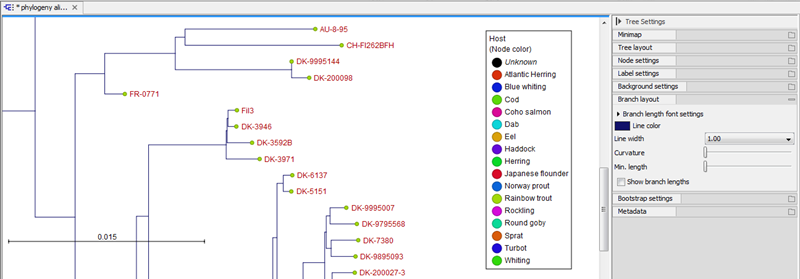
Figure 26.11: Branch Layout settings. "Curvature" is set all the way to the right, giving the tree its 'triangular' shape.