
Tree layout
The "Tree Layout" palette in the Side Panel has options to change the layout and ordering of the tree (figure 26.7).
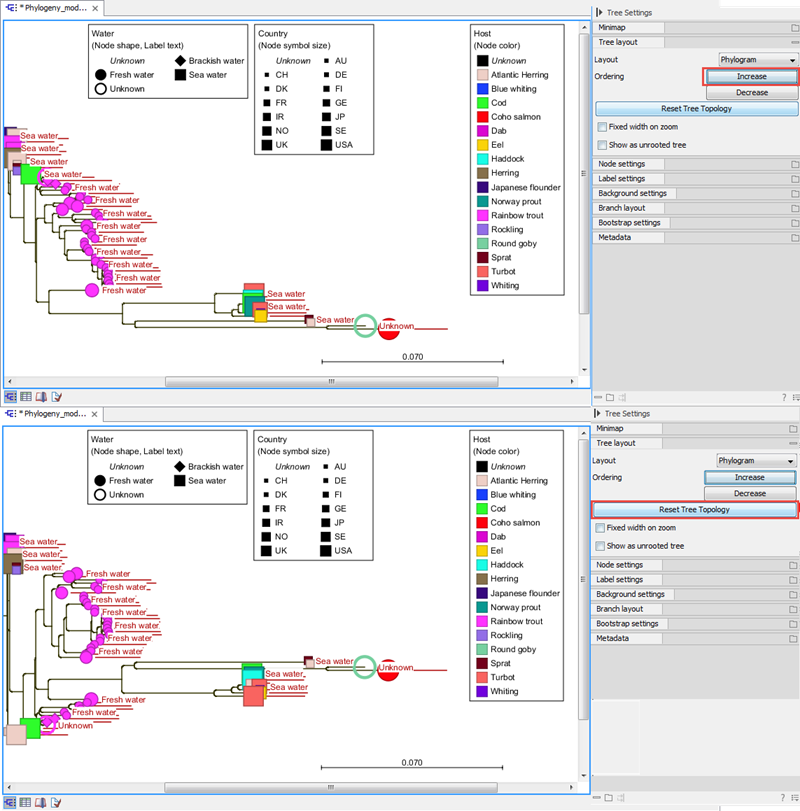
Figure 26.7: The tree layout can be adjusted in the Side Panel. The figure shows a tree with node ordering set to "Increase".
- Layout. Selects one of the five layout types: Phylogram, Cladogram, Circular Phylogram, Circular Cladogram or Radial. Please note that only the Cladogram layouts are available if all branches in the tree have zero length.
- Phylogram. A rooted tree where the edges have "lengths", usually proportional to the inferred amount of evolutionary change to have occurred along each branch.
- Cladogram. A rooted tree without branch lengths which is useful for visualizing the topology of trees.
- Circular Phylogram. A phylogram, but with the leaves in a circular layout.
- Circular Cladogram. A cladogram, but with the leaves in a circular layout.
- Radial. An unrooted tree that has the same topology and branch lengths as the rooted styles, but lacks any indication of evolutionary direction.
- Ordering. The nodes can be ordered by branch length; either Increasing (shown in figure 26.7) or Decreasing.
- Reset Tree Topology. Resets to the default tree topology and node order. Any previously collapsed nodes will be uncollapsed.
- Fixed width on zoom. Locks the horizontal size of the tree to the size of the main window. Zoom is therefore only performed on the vertical axis when this option is enabled.
- Show as unrooted tree. Changes whether the tree is shown with or without a root.