
Create an alignment
The Create Alignment tool aligns sets of nucleotide or protein sequences. Sequences can be provided as individual sequences, sequence lists, or existing multiple sequence alignments. When an existing alignment is provided as input, an option is available to specify whether the sequences in the alignment should be realigned.
To align long sequences up to 100 Mb in length, please use the Create Whole Genome Alignment tool, which is delivered by the Whole Genome Alignment plugin.
To create an alignment, run the Create Alignment tool, available at:
Tools | Classical Sequence Analysis ( ) | Alignments and Trees (
 ) | Create Alignment (
 )
)
This opens the dialog shown in figure 25.1.
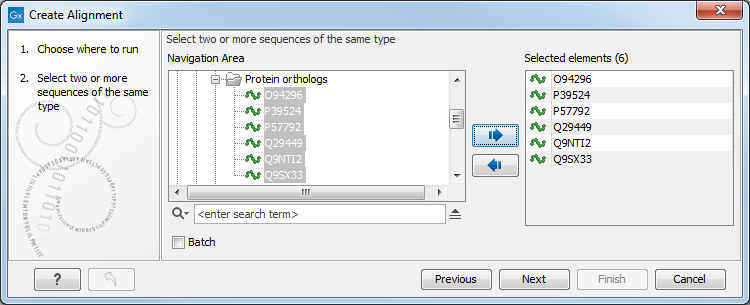
Figure 25.1: Creating an alignment.
After selecting the elements to align, you are presented with options that can be configured (figure 25.2), see details in the subsections below.
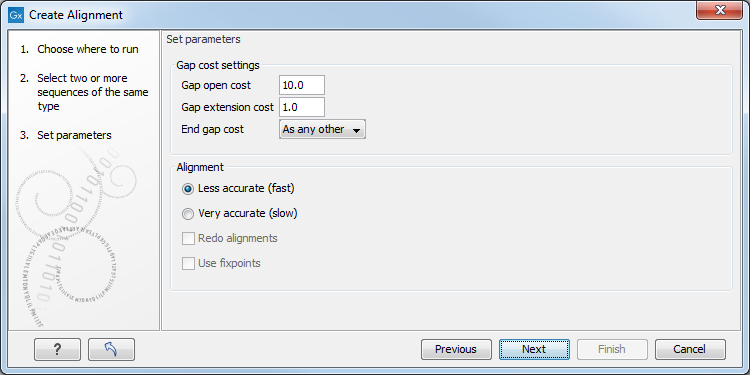
Figure 25.2: Adjusting alignment algorithm parameters.
Subsections