
Node settings
In the "Node settings" palette in the Side Panel, nodes of a tree can be manipulated in several ways (figure 26.8).
- Leaf node symbol. Changes the symbol used for leaf nodes (Dot, Box, Circle, etc.).
- Internal nodes symbol. Changes the symbol used for internal nodes (Dot, Box, Circle, etc.).
- Max. symbol size. Adjusts the size of leaf and internal node symbols.
- Avoid overlapping symbols. Automatically limits the symbol size to avoid overlaps between symbols in the current view.
- Node color. Changes the color for all nodes in the tree.
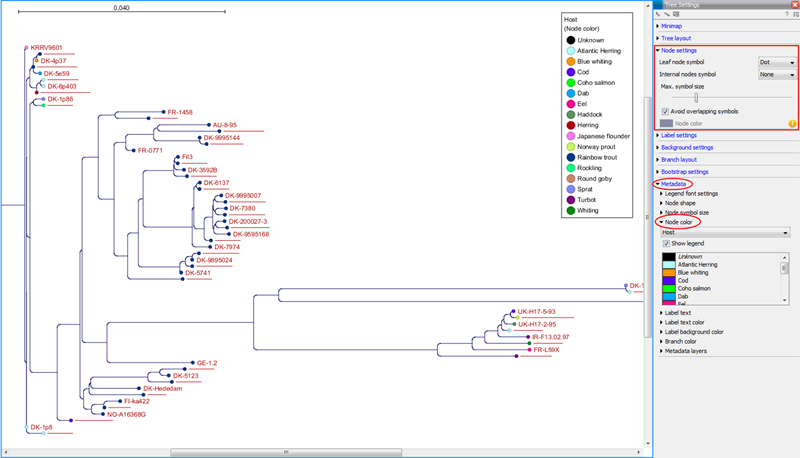
Figure 26.8: The Node Layout settings. Node color is specified by attributes in the Metadata palette and is therefore inactive in this example.