
Link Table to Reads Track
Link Table to Reads Track takes as input a table ( ) and outputs a copy of the table that is linked to a reads track (
 ).
The tool can, for example, be used to link the table and reads track produced by Find Best References using Read Mapping.
To run the tool, go to:
Tools | Utility Tools ( ) | Tracks (
 ) | Link Table to Reads Track
The following options can be configured (figure 20.3):
- Reads track The reads track to link to the table.
- Chromosome column The table column containing the chromosome names. For each row, the value in this column is used to identify a chromosome with the same name in the reads track.
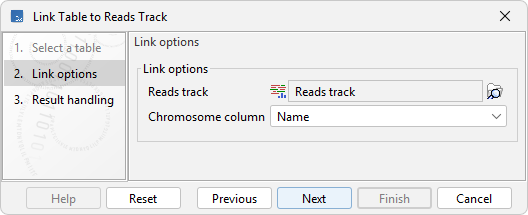
Figure 20.3: The options for Link Table to Reads Track.
When the output table and the reads track are opened in a split view, selecting a row with a matching chromosome name switches the track view to that chromosome (figure 20.4). Selecting a row without a matching chromosome does not change the track view.
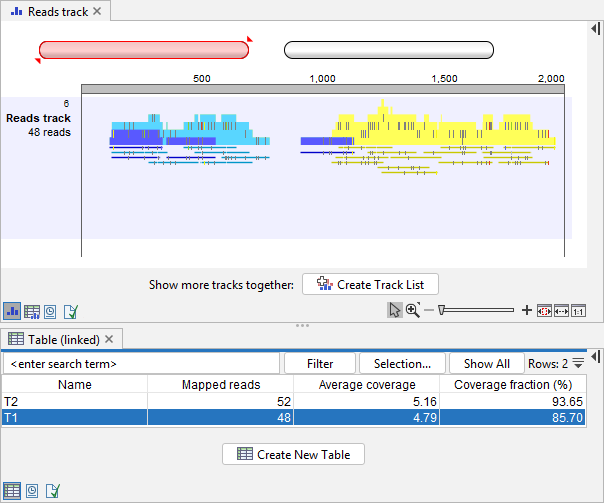
Figure 20.4: Selecting a row in the linked table updates the reads track view to show the chromosome with the matching name.