
Executing workflows
Running workflows installed on a CLC Server
Workflows installed on the CLC Server can be launched using a CLC Workbench or the CLC Server Command Line Tools.
In a CLC Workbench, workflows installed on a server are listed under the Installed Workflows (Server) folder under the Workflows menu (figure 10.4).
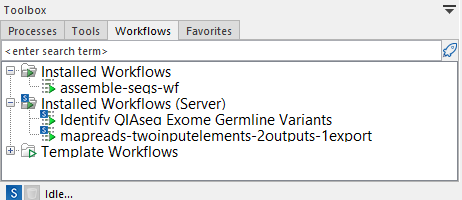
Figure 10.4: Workflows installed on the CLC Server are located in the "Installed Workflows (Server)" folder under the Workflows menu in CLC Workbenches.
Workflows installed on a CLC Server can be run on any available execution environment (figure 10.5).
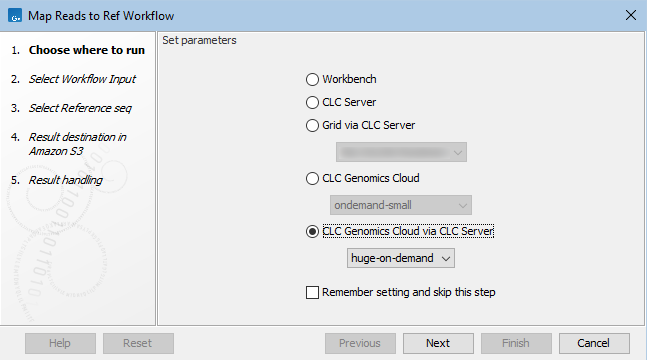
Figure 10.5: The first wizard step when launching a workflow using a CLC Workbench allows the desired execution environment to be selected.
Further information about launching workflows using a CLC Workbench is available in the CLC Genomics Workbench manual.
Information about launching workflows on the command line is available in the CLC Server Command Line Tools manual.