
Additional tree views
Phylogenetic trees have three available views:
- Tree (
 ). The default view, visualizing the tree, for more see Tree Settings.
- Table (
 ). Standard functionality for working with tables applies. For information specific to tables in trees, see Tree table view.
- Alignment (
 ). If a tree was made from an alignment, such as with Create Tree or Maximum Likelihood Phylogeny, the Alignment view will contain a copy of that alignment.
This view only contains an alignment for trees based on alignments and created using CLC Main Workbench 26.0 or later. Editing within this view is not supported.
Selection of specific nodes
Deeper investigation of a tree is aided by opening linked views. Linked views are opened by holding down Ctrl/ , while clicking on a view icon in the bottom left.
When a node is selected in one of the linked views, it will also be selected in the others (figure 18.16).
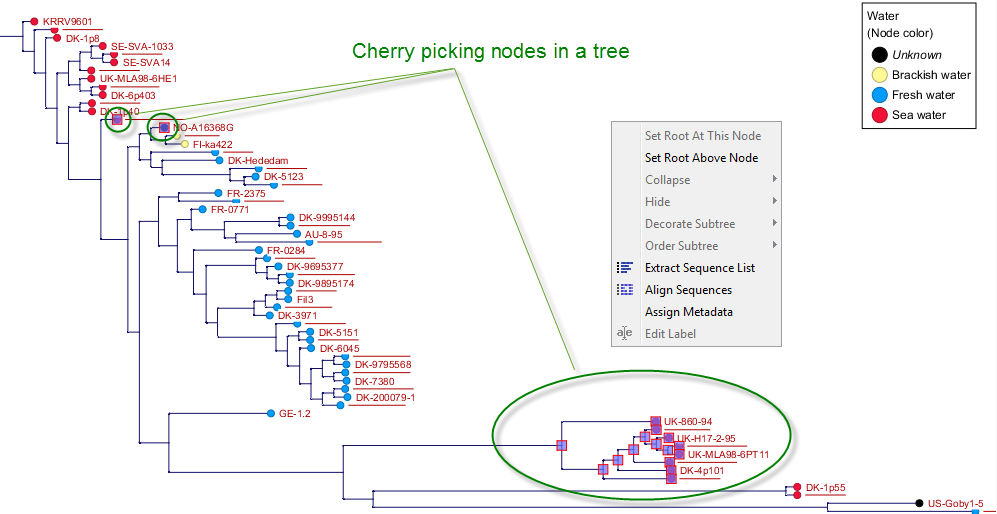
Figure 18.16: Node selection is synchronized in all linked views.
Nodes in a tree can be selected in various ways:
- Selection via the Tree view. Select one or more entries by clicking nodes in the tree (hold down Ctrl/
to select multiple). It is also possible to select multiple nodes by clicking and dragging the mouse across the Tree view.
- Selecting all nodes in a subtree. Double-clicking on an internal node results in the selection of all nodes in the subtree under it.
- Selection via the Table view. Select one or more entries by clicking rows in the table (hold down Ctrl/
or Shift to select multiple). The corresponding nodes will now be selected in the tree.
- Selection via the Alignment view. Select one or more entries by clicking the name of sequences in the alignment (hold down Ctrl/
or Shift to select multiple). The corresponding nodes will now be selected in the tree.
Subsections