
Setting up automated sample submission
The connector supports automated detection and submission of samples for analysis. Automation can be configured for a workflow on the Automation tab (see figure 5.1) as described in Automation configuration settings.
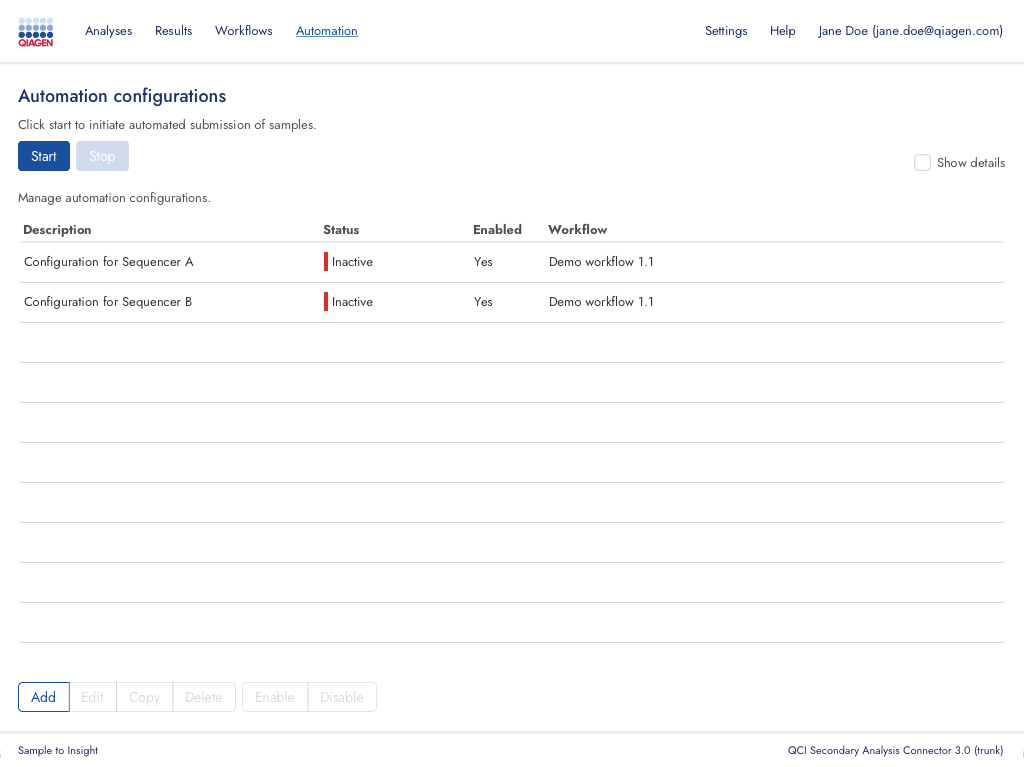
The Automation tab contains buttons allowing to:
StartandStopautomated sample submission (see Starting and stopping automation).Add,Edit,Copy, andDeleteautomation configurations.EnableorDisablea selection of configurations.
The Show details checkbox can be selected to display all configuration settings in the automation configuration table.
The Status column in the automation table displays one of the following values:
Running: Configuration is enabled and valid, and automation has been started.Workflow not activated: Configuration is enabled and valid, but the configured workflow has been deactivated on theWorkflowstab (see Managing secondary analysis workflows).Invalid configuration: Configuration is missing one or more mandatory settings.Inactive: Automation is not running for the given configuration.
Subsections