
HTTP settings
General settings affecting working with the web client are available under:
Configuration ( ) | Main configuration (
 ) | HTTP settings
As shown in figure 3.13, these are:
- User HTTP session timeout (seconds) The period of inactivity after which the session will time out, requiring the user to log in again to continue working. This duration also applies to HTTPS connections.
- Max upload size (MB) The maximum file size that can be uploaded via the web interface. Key functionality affected by this limit:
- Installing workflows This limit may be relevant when installing workflows with bundled reference data. Note: This setting does not affect installation of workflows directly from a CLC Workbench.
- Installing plugins from a file Plugin files (.cpa) exceeding the upload size limit cannot be installed. This setting does not affect the download and installation of plugins using functionality availble under the Download plugins tab.
- Importing external application configuration files These files tend to be quite small, so are unlikely to exceed any reasonable limit set here.
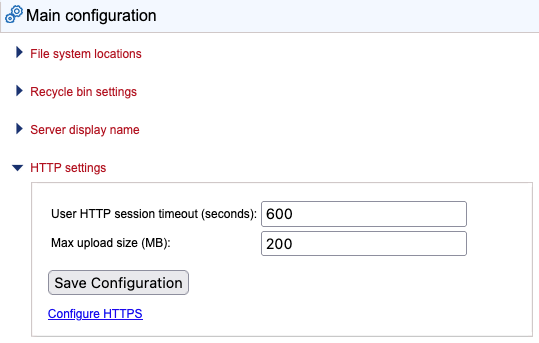
Figure 3.13: General web client settings