
Running Velvet from the Workbench
Next step is to test if it can actually be executed. Open the Workbench with the External Applications Client Plugin installed. Go to:
Toolbox | External Applications ( ) | CLC bio Velvet (
 )
)
When you have selected the execution environment the parameters must be configured in the dialog seen in figure 8.16.
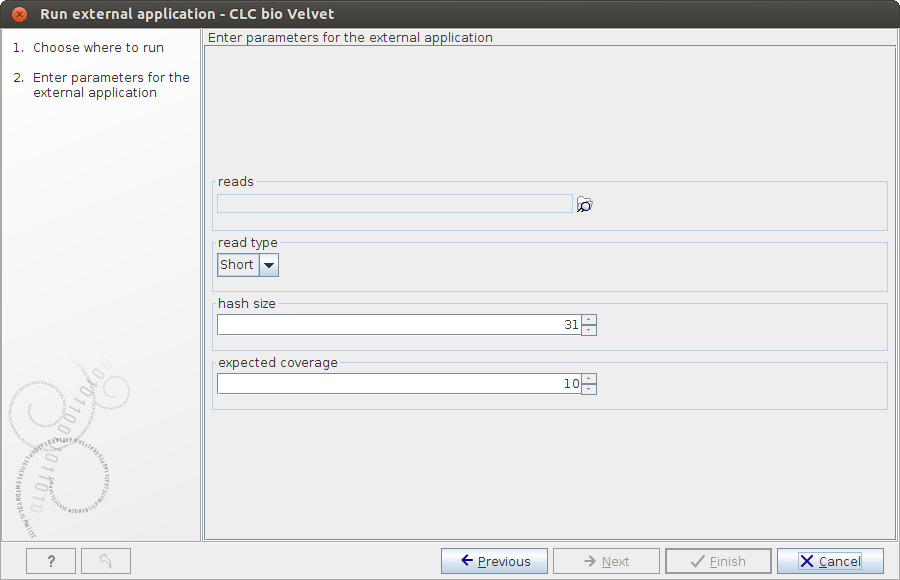
Figure 8.16: Configure Velvet parameters from the Workbench.
Select ( ) some sequences, adjust the parameters accordingly and click Next and Finish.
The process that follows has four steps:
- The sequencing reads are exported by the server to a FASTA file. The FASTA file is a temporary file that will be deleted when the process is done.
- The velvet script is executed using this FASTA file and the user-specified parameters as input.
- The resulting output file is imported into the save location specified in the save step of the Workbench dialog, and the user is notified that the process is done.
- All temporary files are deleted