Control flow elements

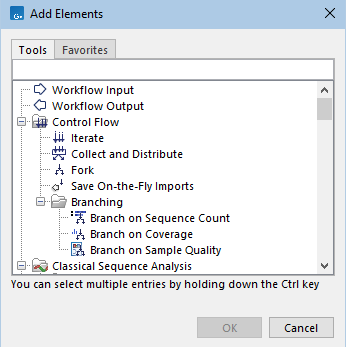
Control flow elements control the flow of data through a workflow. They can be found in the Control Flow folder of the Add to Workflow dialog (figure 14.47), and other dialogs for adding elements to a workflow.

Image workflow_control_elements-genomics
Figure 14.47: Control flow elements are found under the Control Flow folder in the Add to Workflow dialog.

Elements are available for:

  1. Controlling how data is grouped for analysis. These include Iterate and Collect and Distribute, described in Iterate and Collect and Distribute elements.
  2. Controlling the flow of the workflow based on its configuration when launched. These include Fork, described in Fork, and Save On-the-Fly Imports, described in Saving data imported on-the-fly.
  3. Controlling the flow through the workflow based on aspects of the data. There are several such branching elements, described in Branching elements.


Subsections