
Recent items
Items recently opened or used are listed under the Recent Items tab, with the most recently accessed listed at the top (figure 2.1).
When the mouse cursor is hovered over an item, its location in the folder structure of the Navigation Area is shown in a tooltip.
The maximum number of recent items listed is 50. When this limit is reached, the oldest item is removed when a new one is added. Items stored in a CLC Server File System Location are only shown in the Recent Items list when logged into the CLC Server. Double-click on an item to open it in the viewing area.
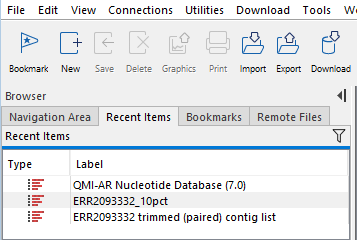
Figure 2.1: The Recent Items tab, available in the Browser area in the left side of the Workbench.