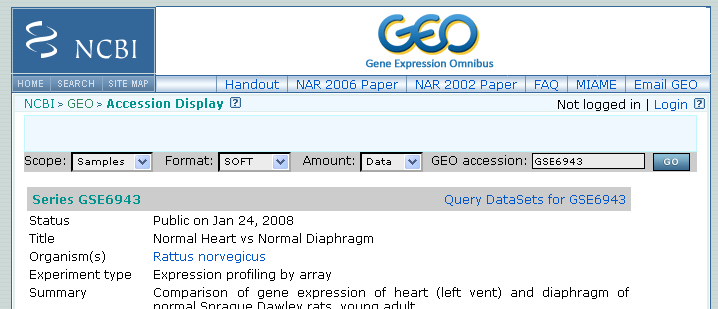
Figure 41.1: Selecting Samples, SOFT and Data before clicking go will give you the format supported by the CLC Genomics Workbench.
Figure 41.1: Selecting Samples, SOFT and Data before clicking go will give you the format supported by the CLC Genomics Workbench.
The GEO sample files are tab-delimited .txt files. They have three required lines:
^SAMPLE = GSM21610
!sample_table_begin
...
!sample_table_end
The first line should start with
^SAMPLE = followed by the sample name, the line !sample_table_begin and the line !sample_table_end. Between the !sample_table_begin and !sample_table_end, lines are the column contents of the sample.
Note that GEO sample importer will also work for concatenated GEO sample files -- allowing multiple samples to be imported in one go. Download a sample file containing concatenated sample files here:
http://www.clcbio.com/madata/GEOSampleFilesConcatenated.txt
Below you can find examples of the formatting of the GEO formats.