 ) | Local Realignment (
 )
)
Toolbox | NGS Core Tools () | Local Realignment ()
Select one or multiple read mappings as input. If one read mapping is selected, local realignment will attempt to realign all contained reads, if appropriate. If multiple read mappings are selected, their reference genome must exactly match. Local realignment will realign all reads from all input read mappings as if they came from the same input. However, local realignment will create one output read mapping for each input read mapping, thereby preserving the affiliation of each read to its sample. Clicking Next allows you to set parameters as displayed in figure 25.32.
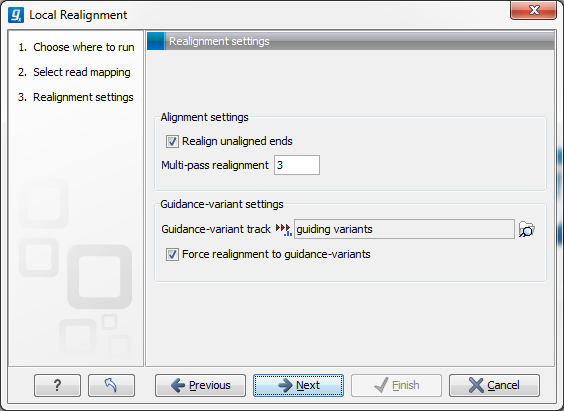
Figure 25.32: Set the realignment options.
Alignment settings
Guidance-variant settings
There are two modes for using the guidance track:
The next dialog allows specification of the result handling. Under "Output options" it is possible to specify whether the results should be presented as a reads track or a stand-alone read mapping (figure 25.33).
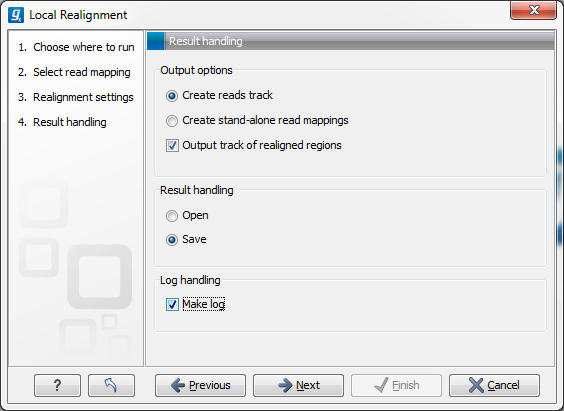
Figure 25.33: An output track of realigned regions can be created.
If enabled, the option Output track of realigned regions will cause the algorithm to output a track of regions that help pinpoint regions that have been improved by local realignment. This track has purely informative intention and cannot be used for anything else.